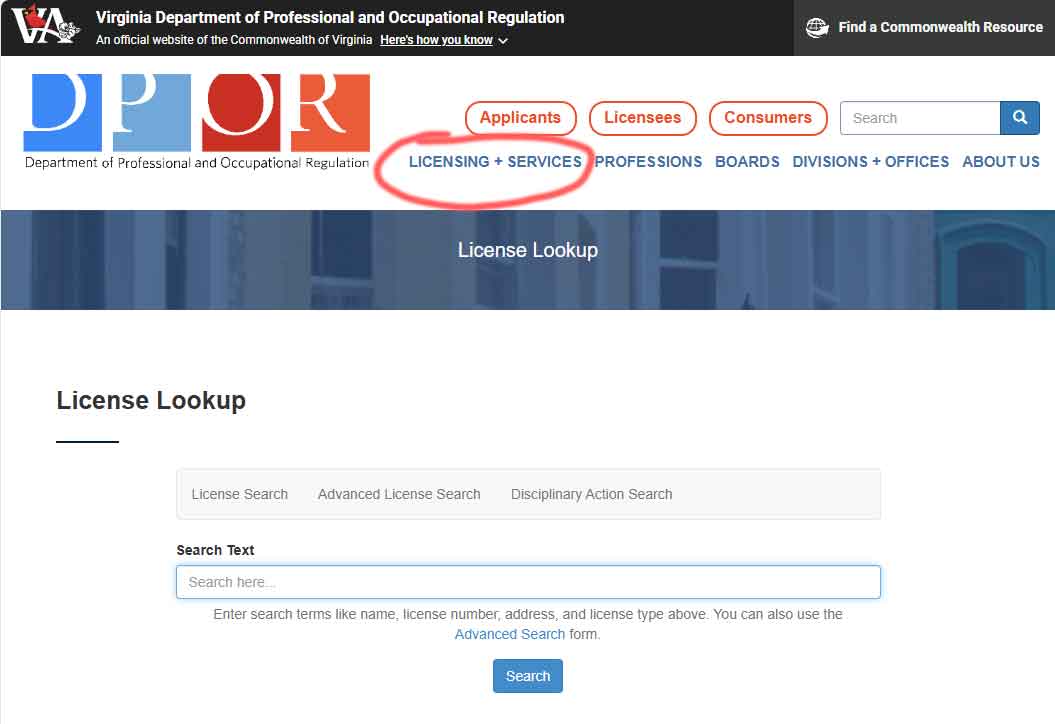
Step 1 – Log into the VA DPOR (Link Below), and Click “Licensing + Services”
https://www.dpor.virginia.gov/LicenseLookup

1

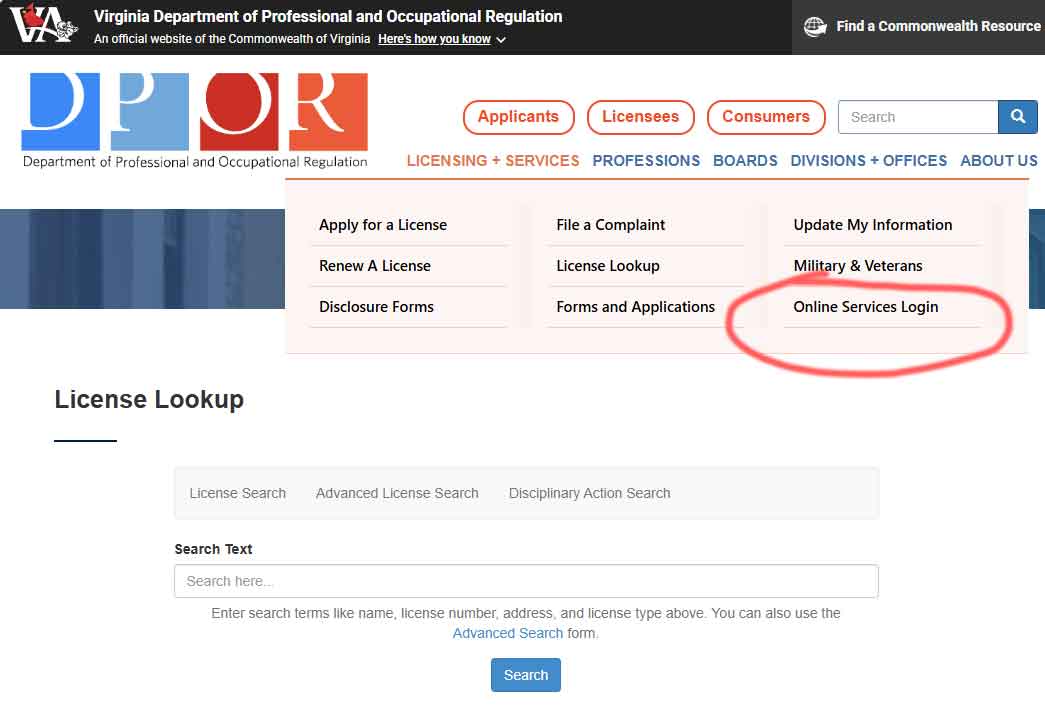
Step 2 – Click “Online Services Login”

2

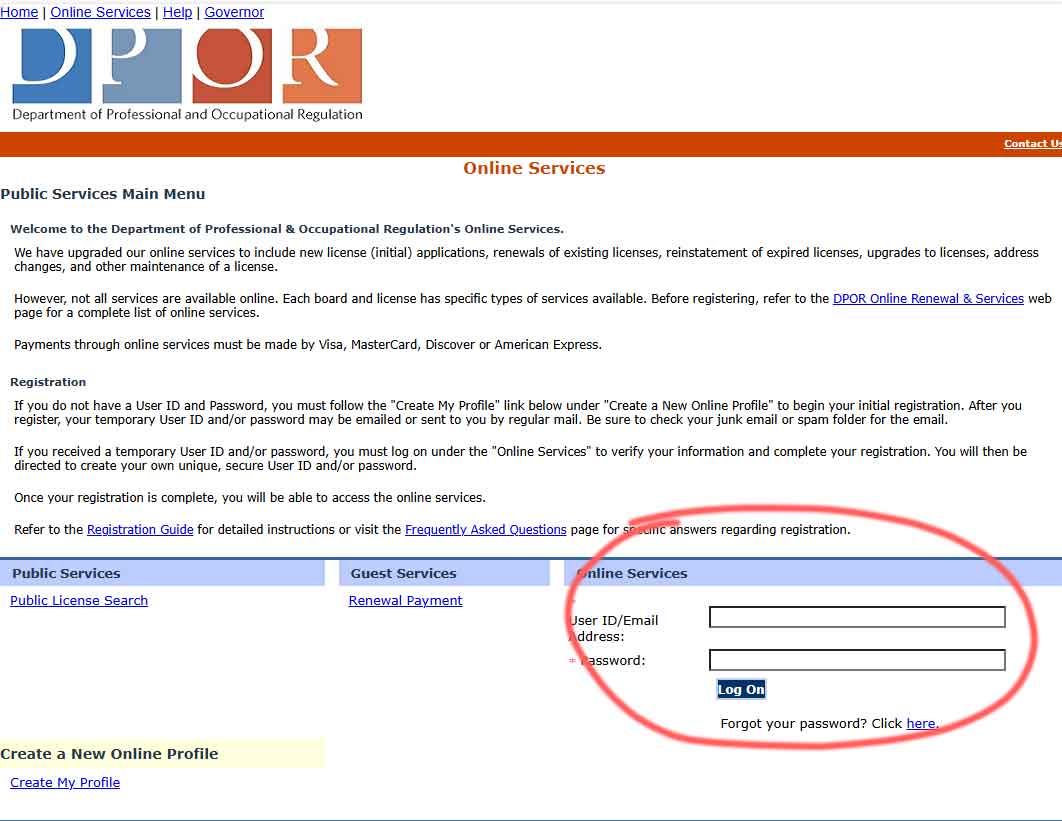
Step 3 – Enter User Name (email) and Password

3

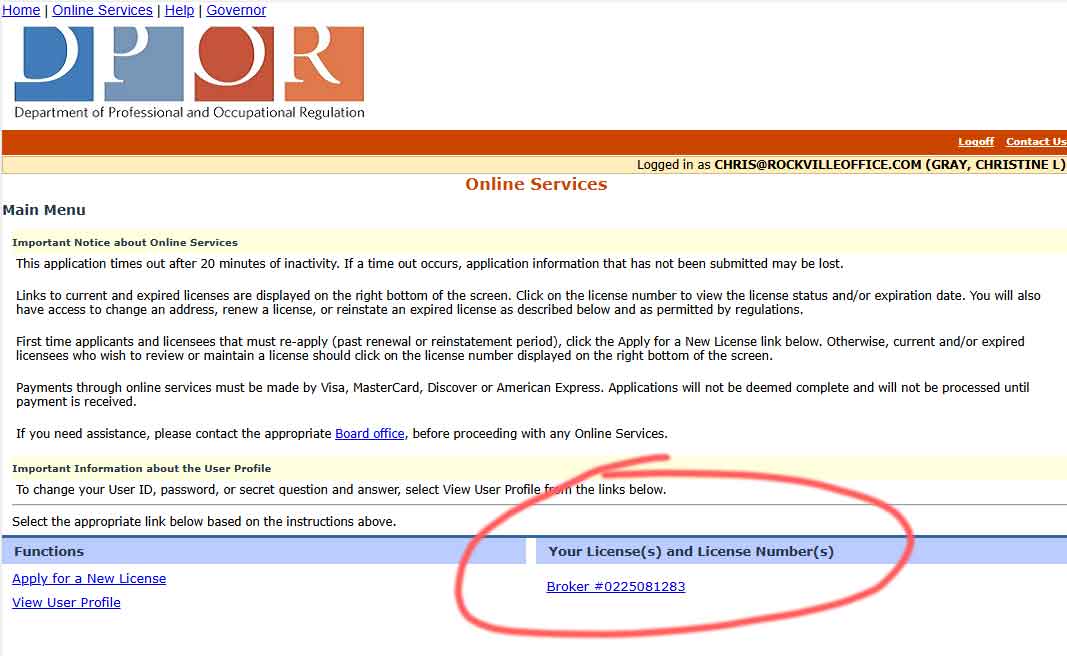
Step 4 – Click on your License Number

4

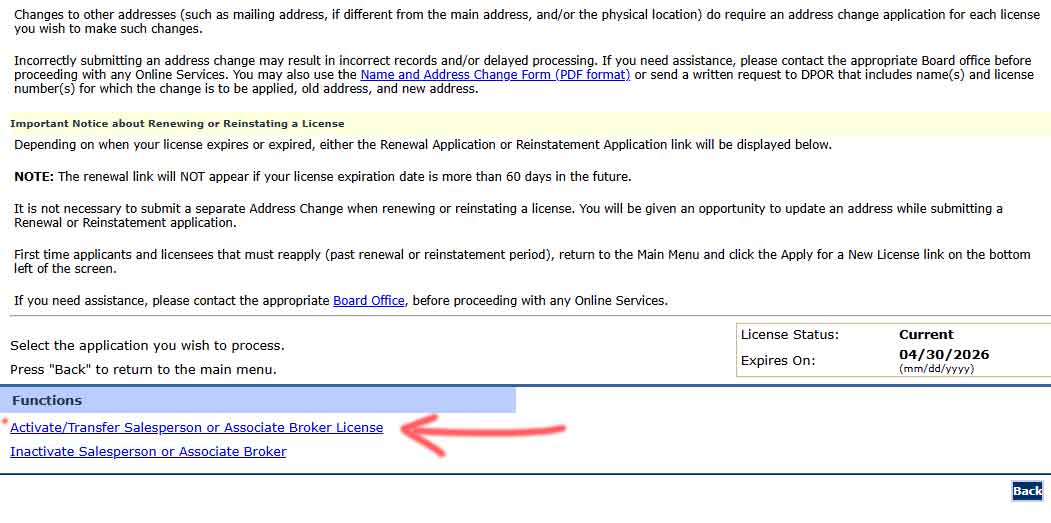
Step 5 – Click link for Activate/Transfer

5

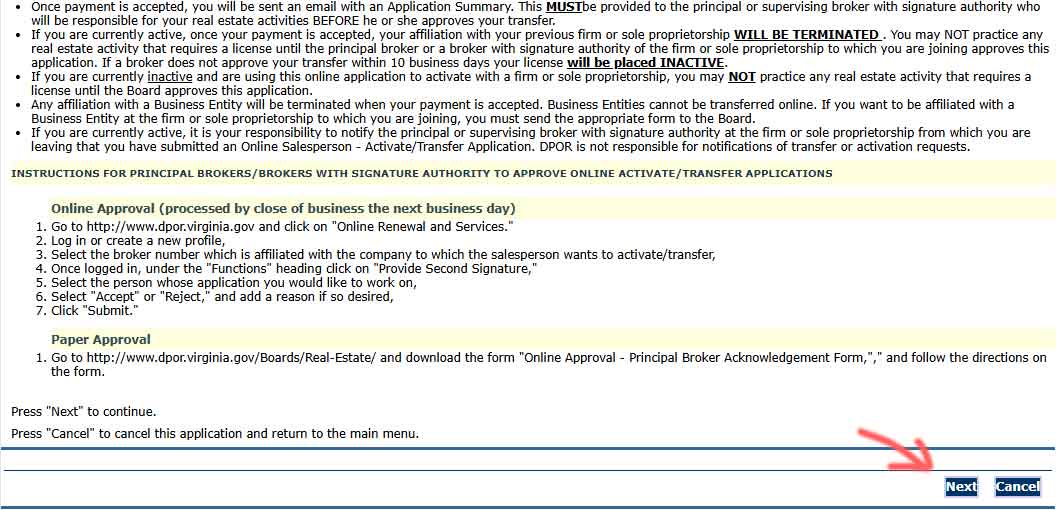
Step 6

6

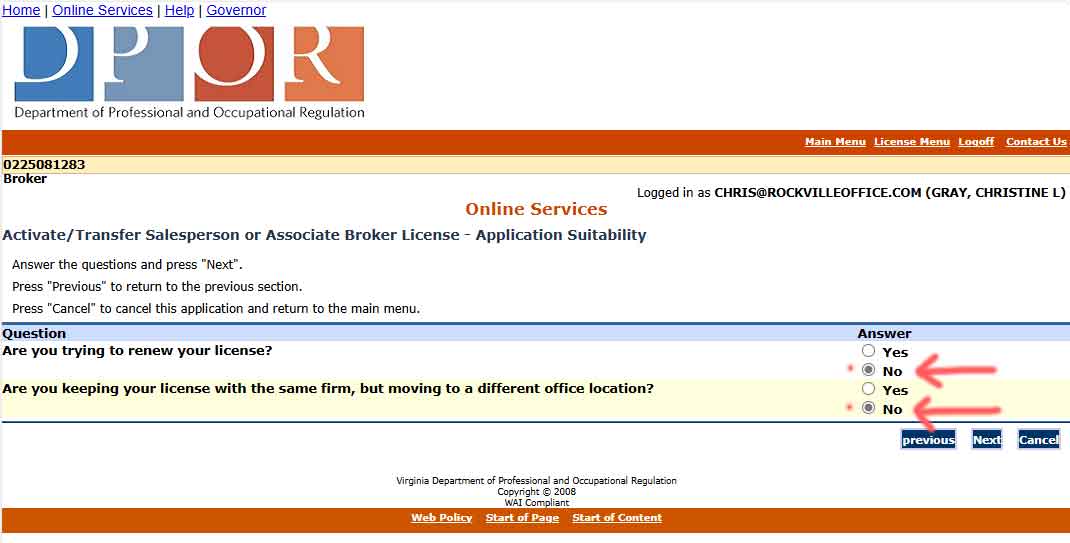
Step 7 – Enter “NO” for each of these questions.

7

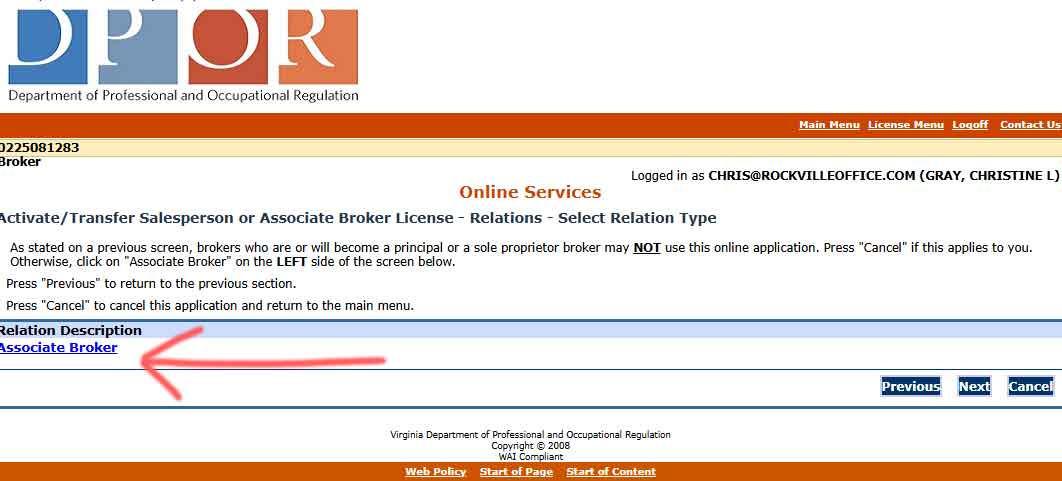
Step 8 – On the left, click on the License Type (in blue)

8

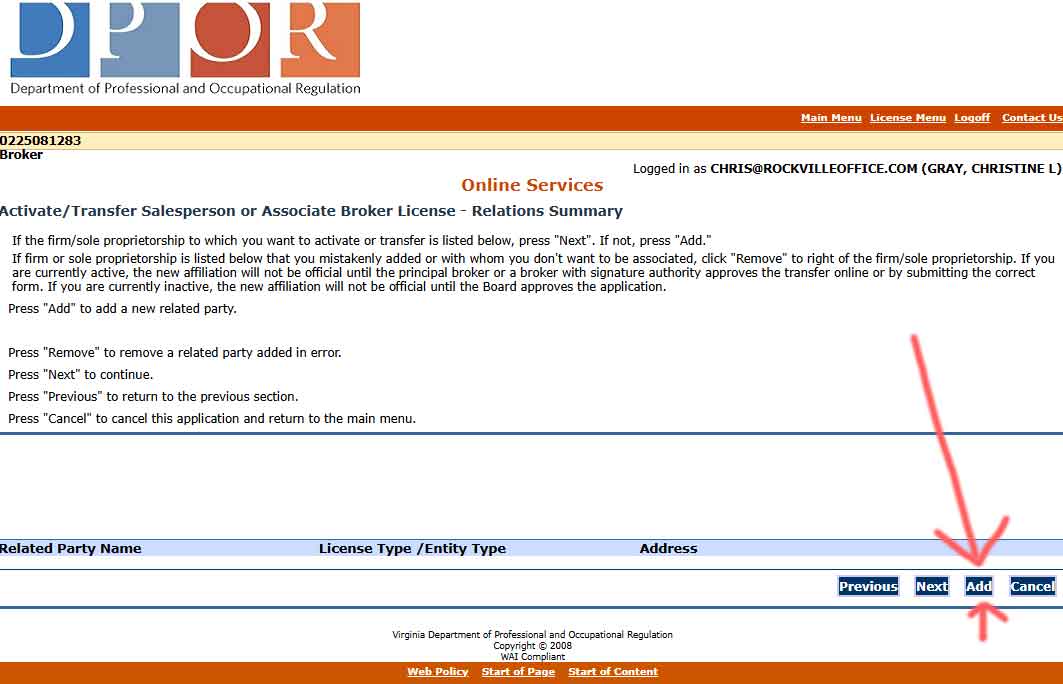
Step 9 – IMPORTANT – On this page your must select “ADD”

10

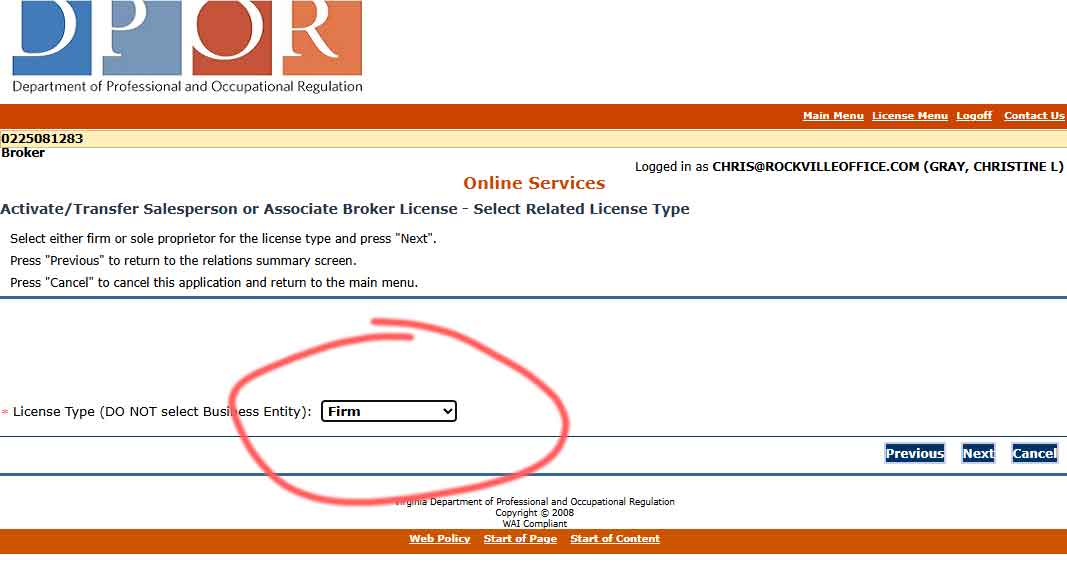
Step 10 – Select “Firm” from dropdown options.

11

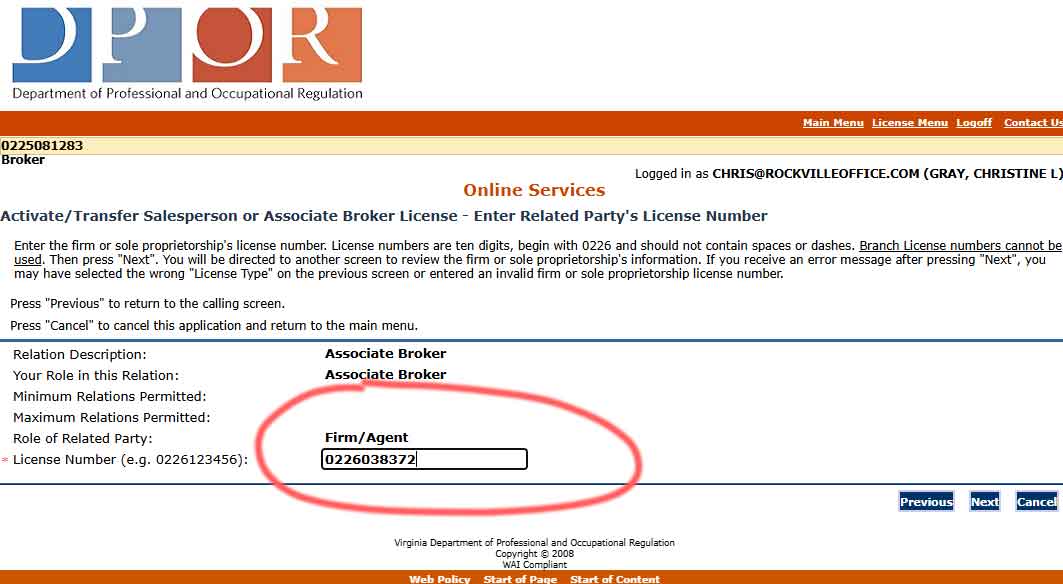
Step 11 – Enter the Realty Advantage License “0226038372”

12

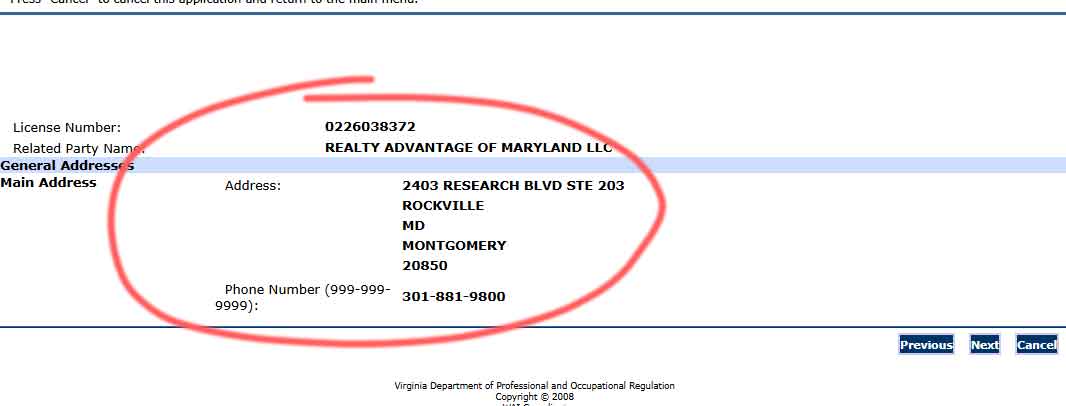
Step 12 – Confirm the Company Information

13

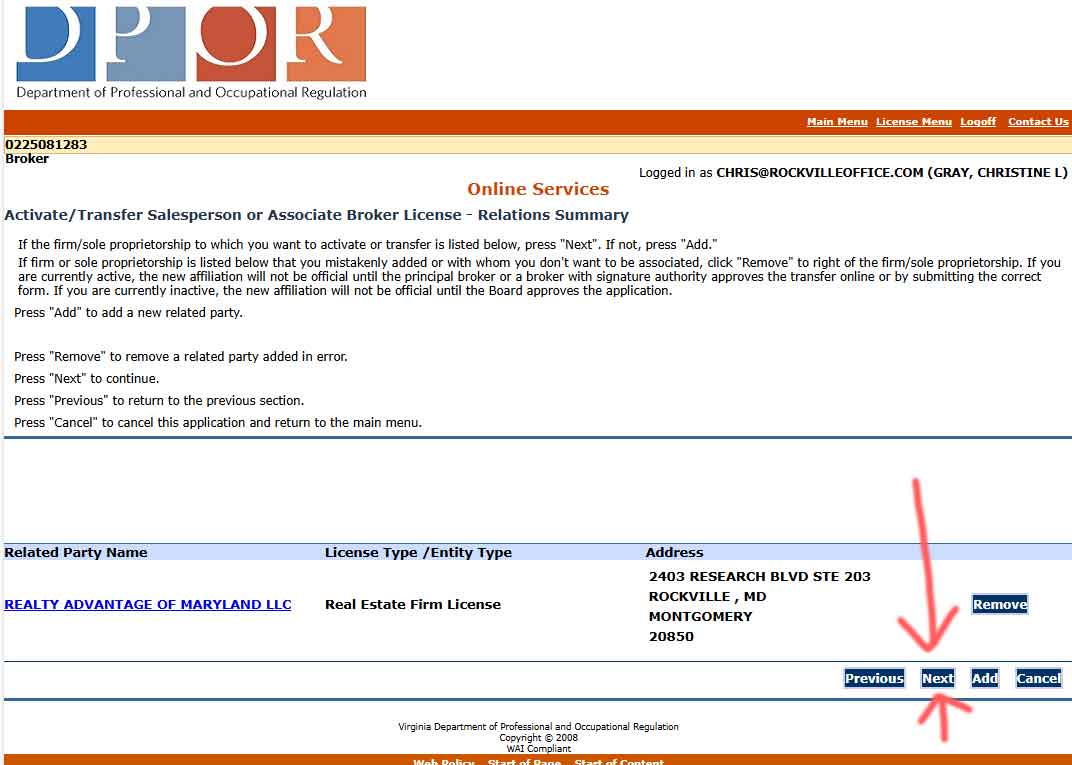
Step 13 – Click Next

14

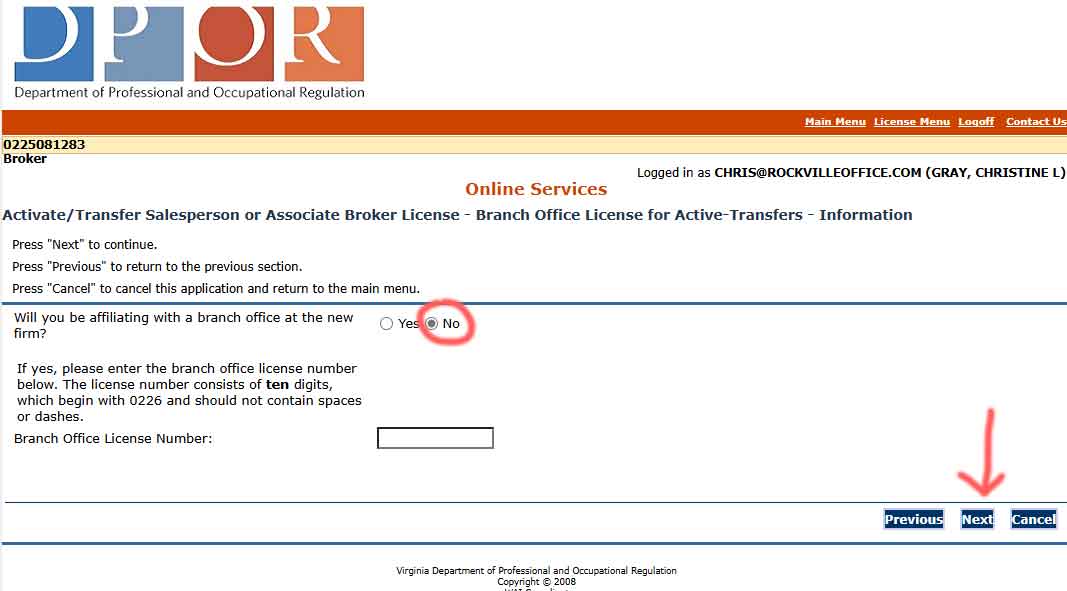
Step 14 – Enter “NO” (for branch office), Leave Branch License Blank, then Next

16

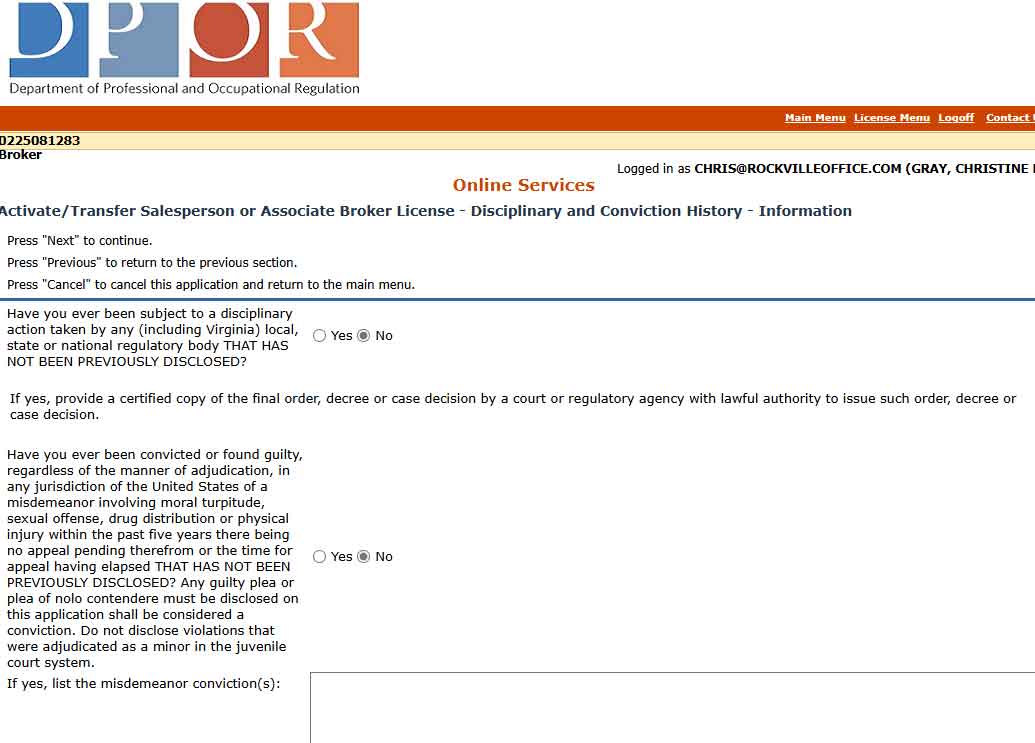
Step 15 – Answer the questions “Yes” or “No”, then Next

17

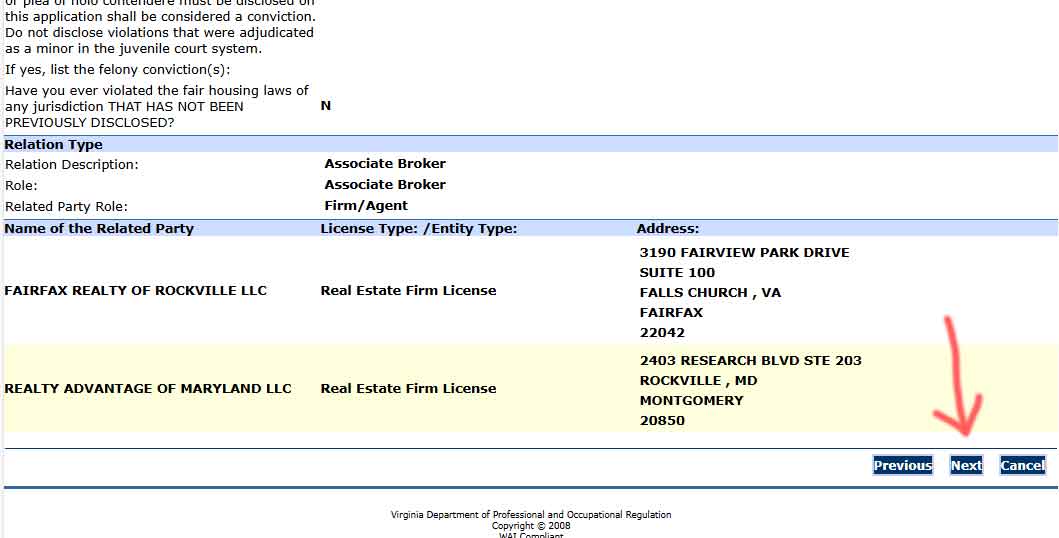
Step 16 – Click Next

18

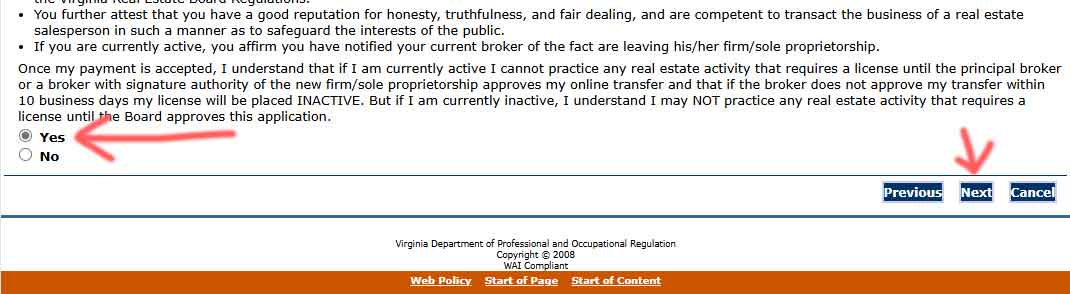
Step 17 – At the bottom left, Click “Yes”, then Next

19

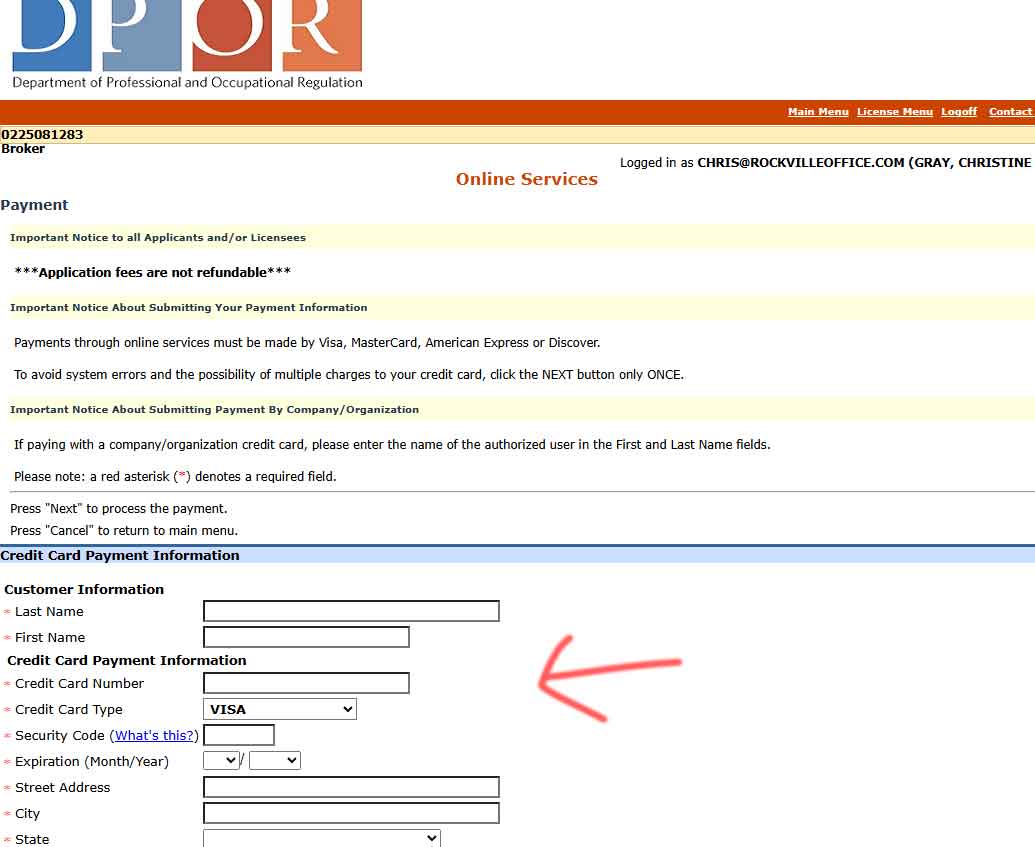
Step 18 – Enter your credit card information to pay the $90 Transfer Fee
(We will promptly reimburse you for this fee)

20

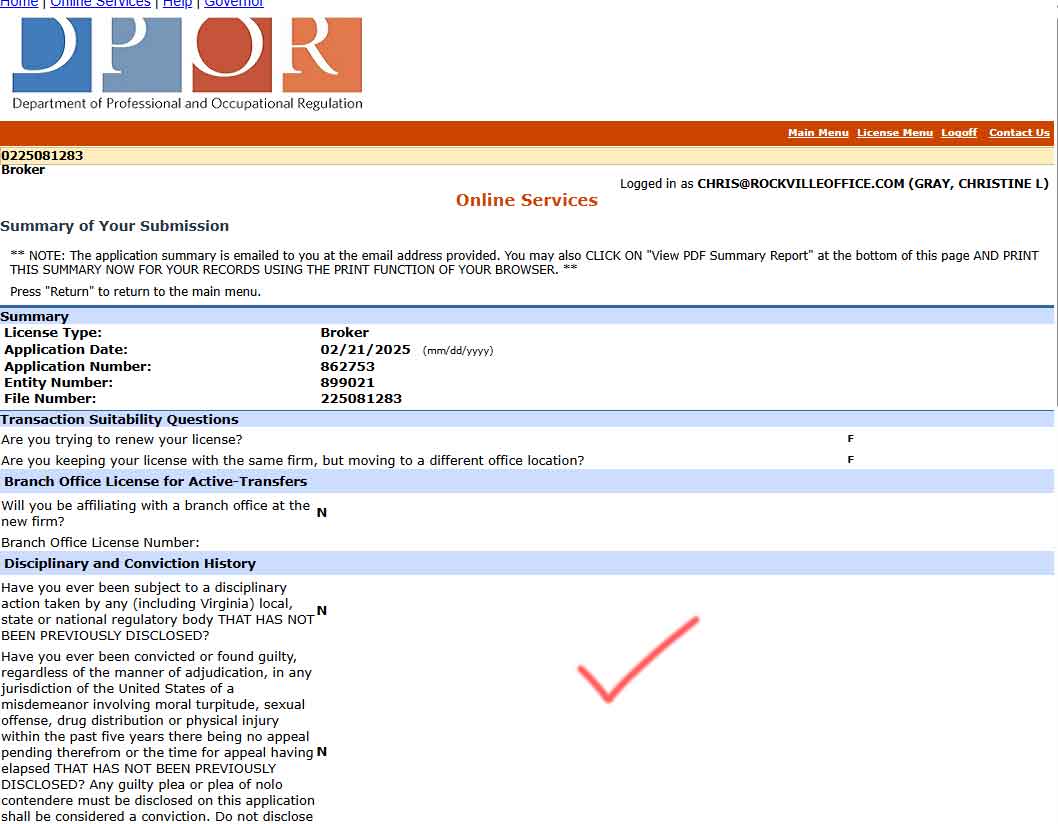
Step 19 – You’re Done 🙂 
Please print or save this page for your records, and then email to hope@rockvilleoffice.com

21